







Experience a memorable vacation in the Pigeon Forge area with a stay at "Crosswinds." This
Step inside your
While you can easily find food nearby, you only need to enter the fully equipped kitchen for an excellent meal. After cooking your favorite dish, take it to the dining area, which boasts enough seating to accommodate 18, making it easy to spend quality time together.
After eating your fill, it's time for fun, so head upstairs, where there's plenty of entertainment available. You can indulge in friendly competition in the game room by challenging the others to a round of air hockey or a game or two at the pool table.
Nearby, you'll find the theater room, which features a smart TV and a Blu-ray player, making it ideal for creating enjoyable movie nights with the other guests. If that's not enough fun for your group, your cabin rental puts you close to nearby attractions, so the fun never has to stop.
Spend the day riding rollercoasters at Dollywood or exploring The Island, along with other fun options, such as Wonderworks. When not enjoying all-time favorites, you'll love taking it easy by shopping or checking out one of the live shows, like the Hatfield and McCoy Dinner Feud, or an activity like mini golf.
If you don't mind a brief drive, head to downtown Gatlinburg to hike in the Great Smoky Mountains National Park or enjoy fun attractions like Ober Gatlinburg and Anakeesta. There's something for everyone to enjoy, so explore the Smokies and make lasting memories!
When you aren't out enjoying fun attractions, shops, and restaurants, you'll love relaxing and taking it easy with loved ones at your
As guests within Bear Cove Falls resort, you and the other guests can float and swim in the resort swimming pool during the summer for an easy way to beat the heat.
If true relaxation is what you need, head to the hot tub to soak in the warm water. Feel the stress and cares melt away as you plan the next fun adventure in Pigeon Forge with those who matter most.
With practical amenities like a charcoal grill, Wi-Fi, and a washer/dryer, you'll have everything needed for a smooth and stress-free vacation at every turn.
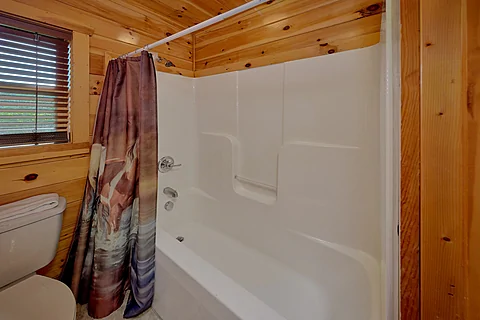
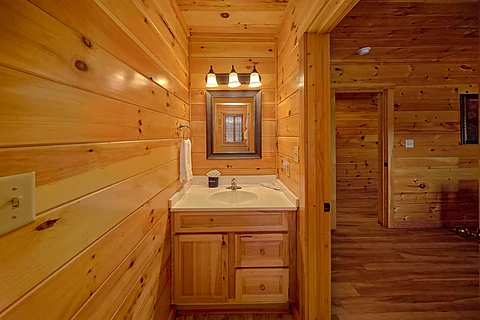
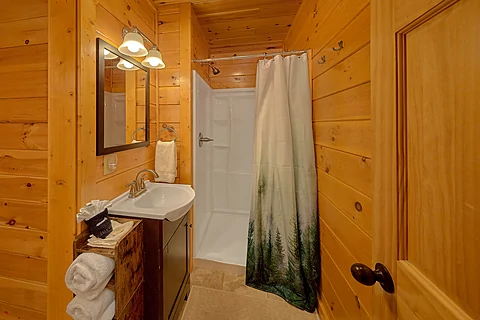
Once you're ready to rest, you can look forward to a good night's sleep in one of the cabin's six bedrooms. You'll find a king-size bedroom with a full bathroom on the main floor.
Head upstairs, and you'll discover another king-size bedroom that shares a connecting bathroom with a full-size bunk bedroom.
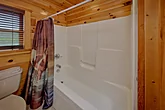
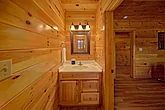
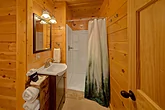
On the lower level, you'll find three more king-sized bedrooms. All three king bedrooms have their own full bathrooms and come with a Smart TV and Blu-ray player for a relaxing evening experience.
Lastly, you'll find a sleeper sofa on the main level and a sleeper sofa downstairs, making "Crosswinds" a perfect fit for your next family vacation or a getaway with friends to the Pigeon Forge area.
Experience a memorable vacation in Pigeon Forge with loved ones by grabbing your spot at the beautiful "Crosswinds!" Book your






Instructions:
Do you want to explore the cabins before you arrive? That's easy, thanks to our 3D Tour powered by MatterPort. Just press the Play button to get started. There are different viewing options available:
In first-person view, navigate through the cabin using the touch screen.
To look around, drag your finger left, right, up, or down. To move to another area, tap on the screen or the hollow white circles on the floor to move the direction you're facing.
To view in full-screen, click the far right icon to enter full-screen mode. Drag from the top of the screen and press the back button to exit full-screen mode.
To use measurement mode, after clicking the plus sign, press and hold to add your start point. Once done, press and hold to add your end point.
In first-person view, use the arrow keys on your keyboard to move around the cabin.
The left and right arrows let you look around while the up and down arrows let you move forward and backward. Also, you can click on the hollow white circles to move to a specific point.
To view in full-screen, click the icon on the far right to enter full-screen mode. Press escape to exit full-screen mode.
To use measurement mode, after clicking the plus sign, click anywhere you want to add to your start point. Once done, click on another spot to add your end point.
 - Office Location
 - Cabin Location


