
Cabins USA Availability Search Icon Availability Search Small Icon

Bruno's Mountain Cave

3 Bedroom Cabin
3 Baths / Sleeps 6
Decorated for Christmas Icon
Bruno's Mountain Cave Cabin Rental Photo
back next
Featured Property Photo
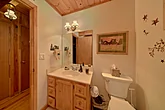
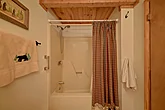
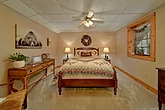
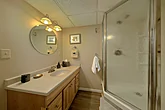
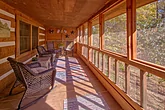
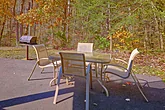
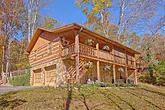
Featured Property PhotoSpacious 3 Bedroom Cabin near Pigeon ForgeFully Equipped Kitchen Dining Area with Seating for 6King Bedroom with TV Sleeps 6Master Bedroom with Connecting Full BathroomMain Level Queen Bedroom Sleeps 6Main Level Bathroom Main Level Full Bathroom with Tub Shower ComboLower Level Queen Bedroom Sleeps 6Lower Level Full Bathroom with Walk-in ShowerSmoky Mountain 3 Bedroom Cabin with Poker Table3 Bedroom Cabin with Unique 4 Player ArcadeSmoky Mountain 3 Bedroom Cabin with Hot TubWears Valley Cabin with Hot Tub and WiFiRustic 3 Bedroom Cabin with Screened in PorchPigeon Forge Cabin with Charcoal Grill Sleeps 63 Bedroom Cabin with WiFi Arcade & Hot Tub

"Bruno's Mountain Cave" A 3 Bedroom Sevierville Cabin for Rent with Hot Tub

Cabin Rental Details

Cabin Description

starstarstarstar
3 Bedrooms, 3 Baths
Wears Valley, Cabin in Sevierville, TN
  • 2 Level Cabin
  • 1 King Bed
  • 2 Queen Beds
  • BBQ Grill
  • Gas Fireplace
  • Game Room
  • Hot Tub
  • WiFi Internet
  • Wooded View
  • Non Smoking
  • Washer/Dryer
  • Christmas Decorated

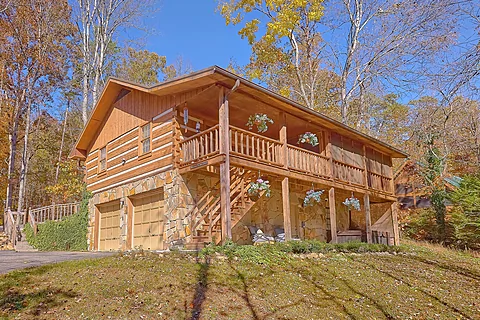
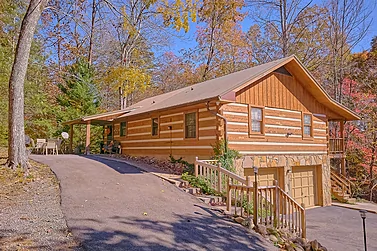
Enjoy a lovely escape from everyday life in "Bruno's Mountain Cave," a 3 bedroom Sevierville cabin for rent with a hot tub near top area attractions. Unwind in the cabin with its relaxing amenities or explore everything the Sevierville area has to offer. No matter what, you'll enjoy spending time with loved ones in a cozy cabin setting.

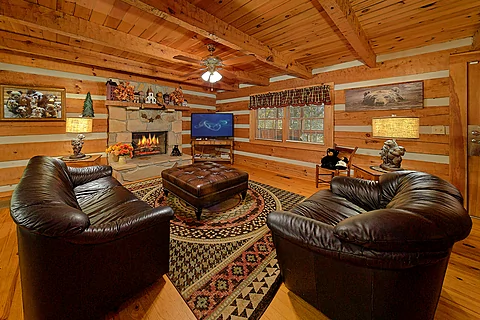
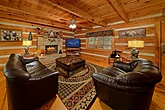
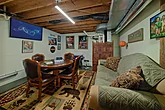
As you enter your 3 bedroom Sevierville rental cabin with a game room, you'll discover an inviting living room with comfortable furniture, a TV, and a gas fireplace.

Watch your favorite shows or plan the first outing with those who matter most. Either way, you'll feel at home during your stay in "Bruno's Mountain Cave."

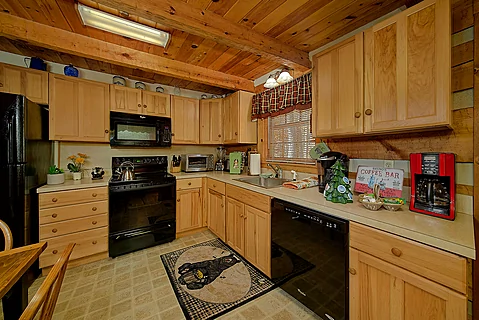
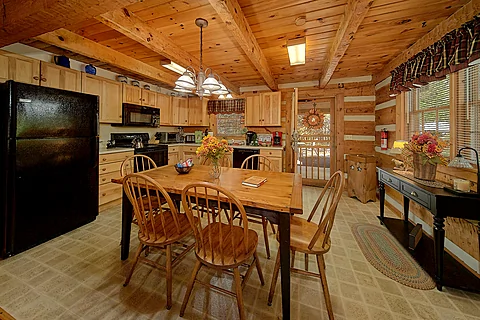
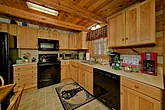
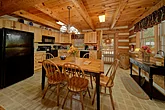
When hungry, you only need to go as far as the fully equipped kitchen to handle your hunger. Stock up on snacks for your shows or prepare a full-course meal to share at the dining table that seats six. Once the dishes are put away, it's time to play in the Smokies.

Downtown Sevierville is only a short drive from your cabin rental, making it a breeze to enjoy all-time favorites like the Forbidden Caverns and NASCAR SpeedPark. If you prefer more excitement, drive a little further to enjoy the best of Pigeon Forge, from the Titanic Museum to Dollywood and other favorites.

Do you prefer a slower pace? Consider driving through Wears Valley for a peaceful drive or catch one of the many live shows. Alternatively, you can check out fun activities like ziplining or mountain coasters. Whatever you choose, you'll return home with fond memories.

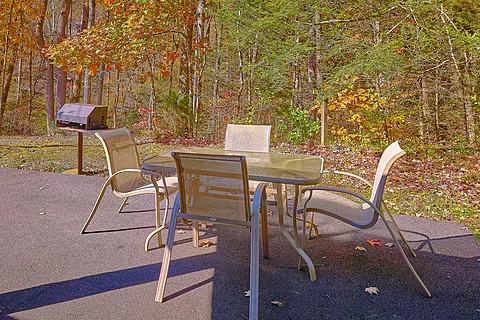
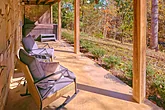
When not playing in the Smokies, you'll love taking it easy at your 3 bedroom cabin rental in Sevierville, TN, with a wooded view. Head outside to enjoy a quiet moment gazing at the wooded views surrounding your cabin rental while someone else uses the charcoal grill to host a yummy cookout.

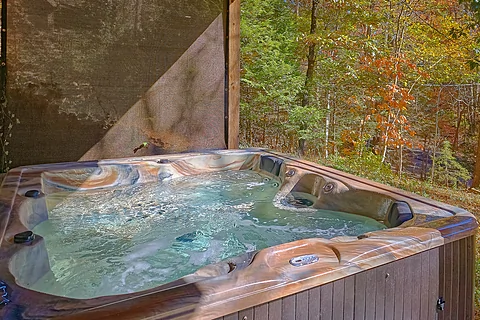
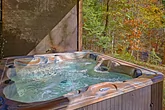
Nearby, the hot tub invites you to take your sense of relaxation to another level. Feel the warm water melt your stress while planning another Smokies adventure. If you feel like having fun outside, the cornhole board lets you indulge your competitive side.

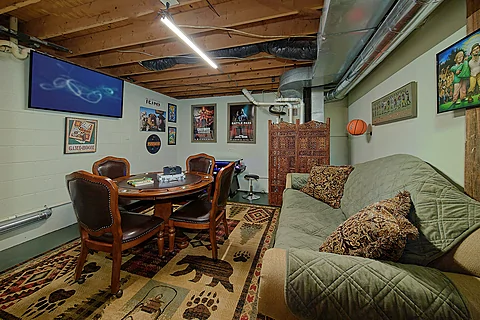
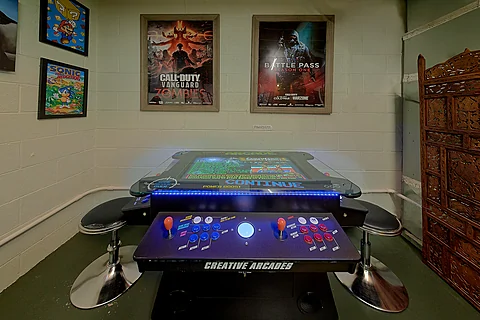
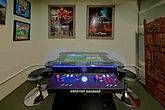
Keep the fun going inside, thanks to the game room on the lower level. Whether beating the high score on the multi-cade arcade or showing off your card skills at the poker table, you and your guests will enjoy an entertaining experience.

In addition to relaxing amenities, there are practical ones like Hi-Speed Internet and a washer/dryer available, letting everyone enjoy a smooth vacation experience from start to finish.

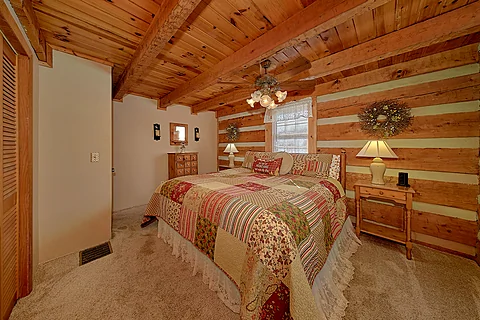
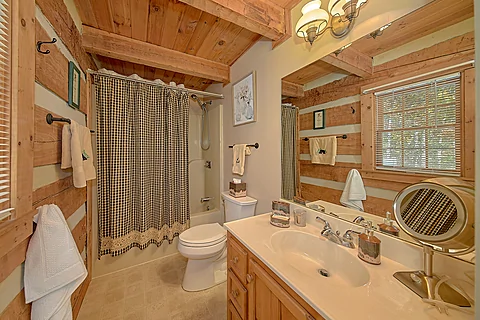
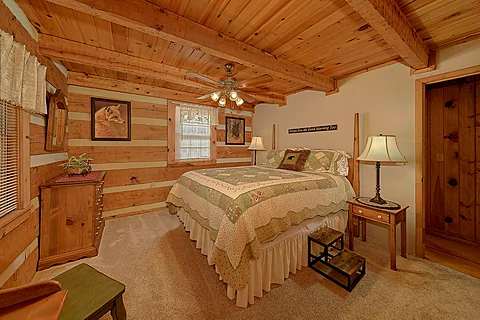
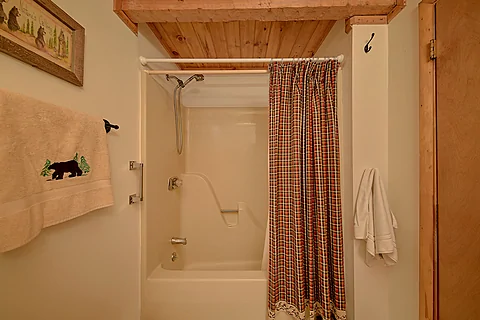
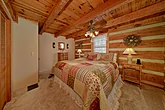
Once you're ready to rest, you can look forward to sleeping in one of the three bedrooms. The main level features two bedrooms. The first bedroom offers a king-sized bed, a TV, and a connecting full bathroom with a tub/shower combo for a relaxing evening.

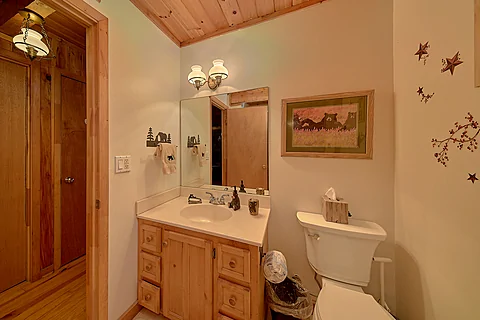
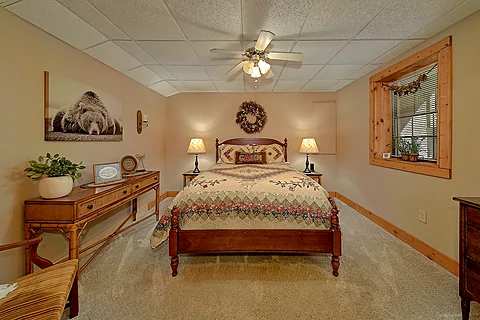
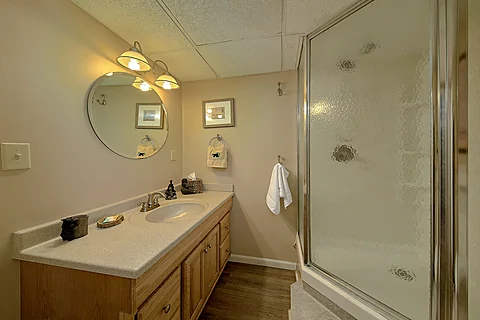
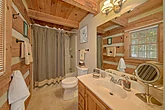
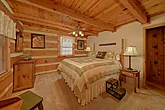
Nearby, you'll find a queen-sized bedroom with a full bathroom featuring a tub/shower combo. The last bedroom sits on the lower level and provides a queen bed plus a bathroom with a walk-in shower.

"Bruno's Mountain Cave" sleeps six guests, making it ideal for a small family vacation or a trip with friends to the Sevierville area.

Enjoy the Smokies and all its wonders in a lovely cabin setting by grabbing your spot at "Bruno's Mountain Cave!" Book your 3 bedroom Sevierville cabin for rent with a hot tub today!
Cabin Photos

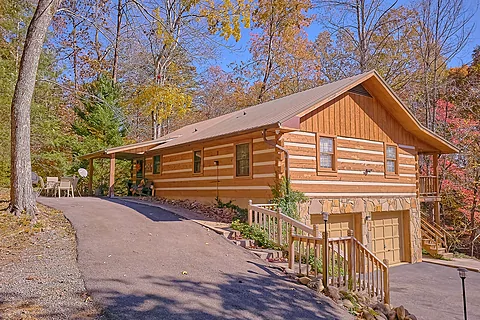
Featured Property Photo - Bruno's Mountain CaveSpacious 3 Bedroom Cabin near Pigeon Forge - Bruno's Mountain CaveFully Equipped Kitchen  - Bruno's Mountain CaveDining Area with Seating for 6 - Bruno's Mountain CaveKing Bedroom with TV Sleeps 6 - Bruno's Mountain CaveMaster Bedroom with Connecting Full Bathroom - Bruno's Mountain CaveMain Level Queen Bedroom Sleeps 6 - Bruno's Mountain CaveMain Level Bathroom  - Bruno's Mountain CaveMain Level Full Bathroom with Tub Shower Combo - Bruno's Mountain CaveLower Level Queen Bedroom Sleeps 6 - Bruno's Mountain CaveLower Level Full Bathroom with Walk-in Shower - Bruno's Mountain CaveSmoky Mountain 3 Bedroom Cabin with Poker Table - Bruno's Mountain Cave3 Bedroom Cabin with Unique 4 Player Arcade - Bruno's Mountain CaveSmoky Mountain 3 Bedroom Cabin with Hot Tub - Bruno's Mountain CaveWears Valley Cabin with Hot Tub and WiFi - Bruno's Mountain CaveRustic 3 Bedroom Cabin with Screened in Porch - Bruno's Mountain CavePigeon Forge Cabin with Charcoal Grill Sleeps 6 - Bruno's Mountain Cave3 Bedroom Cabin with WiFi Arcade & Hot Tub - Bruno's Mountain Cave

Cabin Videos

Availability Calendars

Location Maps

Cabins USA Office Pin - Office Location
Property Location Pin - Cabin Location
Cabins USA Official Logo
star star star star star
2140 Parkway
Pigeon Forge, TN  37863
(865) 429-4121

VLS #157
Pigeon Forge Cabins
Guest Reservations
(800) 583-6168
2 Night Minimum


Cabins USA Help Icon
Copyright 2013-2025, Cabins USA LLC, Pigeon Forge, TN

Welcome to Cabins USA! We hope you enjoy your stay with us and look forward to helping you make incredible vacation memories. To help you navigate your Guest User account, we've provided a helpful guide to walk you through the process.

Creating an Account

Creating a guest account is as simple as submitting your email and creating a password. Keep in mind the email used to create your guest account must match the email provided on your reservation.

If a different email is on your reservation, you'll need to create a guest account with that email to manage the reservation.

When finished, an email will be sent to confirm your email address. Follow the steps in the email to complete the creation of your account.

Note: If you need to change the email address on your reservation, please contact the reservations office for further assistance.

Managing Your Account

Once your account is created, you can start managing your reservations. Your guest reservations will show as follows:

Click on the view button to get more details about each reservation. Within the reservation, you'll be able to do three things, which are:

Submit a Trouble Ticket

Click the report issue button for maintenance needs or other concerns during your stay. Briefly describe your issue, provide contact information, and submit up to 3 photos detailing your situation if applicable.

Submit Cancellation Request

This must be done before check-in and per our policies. Within the request, provide a reason for cancellation and click submit. After submitting your request, one of our reservationists must complete the cancellation process before your reservation is canceled.

Make a Payment

For future stays with a balance open, you can make credit card payments from $50 up to the total cost of the reservation.

Additional Information

If you have a future reservation and haven't completed the Express Check-In, please send your confirmation number and email used for the reservation to reservations@cabinsusa.com to request an invitation to complete the process.

After you've signed all reservation documents and paid the balance in full, you'll receive an email with your active stay information 8 hours prior to arrival, which includes the following:

Note: If the reservation documents have not been signed electronically and/or the balance has not been paid three days prior to arrival via the credit card on file, you must check in at our 2140 Parkway office. Our office hours are currently 8:00am - 10:00pm, Monday thru Sunday.

Contact Us

Didn't find the information you needed? Contact Us for further assistance with your reservation or guest account.

Thank you for choosing us for your Smoky Mountain vacation! We look forward to helping you make your dream vacation a reality!

Warm regards,

Cabins USA

Interested in receiving our newsletter? Simply provide your full name and email address in these fields to begin receiving information. By doing so, you can learn about special promotions and events in the Smoky Mountains!

We respect our customer's privacy and feel it is disrespectful to bombard anyone with emails. We treat all information that customers share with us as private and confidential. Cabins USA never shares this information with third party sites.

Arrival Date: Mandatory, select or enter date you will arrive (MM/DD/YYYY)

Nights: Mandatory, select or enter the number of Nights you will be staying with us

Promotional Code: Must enter a valid code

Optional Search Items: (Amenties, Cities, etc)
Below are several boxes in which you can either select from a drop down list or click on a check box to the left of an item to select.

Changing the contents of any drop down list or selecting/deselecting a check box will broaden or narrow the number of properties displayed by your search. You don't have to wait until the search completes to select/deselect items for your perfect search.

You must hit the SEARCH button to start your first search. It is unnecessary to hit the SEARCH button after doing your first search, unless you changed to another web page, changed the Arrival Date or number of Nights.

Add to Favorites: As you visit individual property pages or pages with listings of several properties on them, you have the option to click on the "+ Favorites" for each particular property, which automatically adds the property to your list of Favorites for consideration. The number next to the Favorites tab, left sidebar, will increase up to 99 possible Favorites. When ready, click on the Favorites tab to view a list of your selected Favorites.

Remove from Favorites: You may de-select (remove) properties from your Favorites you no longer wish to consider by either clicking on the minus icon to the right or by clicking on the "- Favorites" displayed on property list pages and each property details page for properties listed in your Favorites.

Compare Favorites: Click in the check boxes to the left of the property name, in your Favorites, you wish to compare. No more than 3 boxes may be selected at one time. When ready, hit the Compare button for a comparison of the 3 selected properties.

Follow the above "Remove from Favorites" instructions to remove a property from the comparison and your Favorites.

To add another property from your Favorites list for comparison, click the check box to the left of the property name in your Favorites and hit the Compare button.

Repeat the above steps to find your ultimate vacation accommodations. Need assistance or have questions, please give us a call so we may better serve you!

View List: Displays a full list of all your Favorites with some details.

Remove All: Clears all properties from your Favorites so you may start over.