








Enjoy a dreamy vacation to the Smokies with a stay in "A Smoky Mountain Dream." This
As you step inside your
The fully equipped kitchen nearby offers everything needed to make yummy snacks or to prepare a delicious meal when you get hungry. Alternatively, you can use the grill and enjoy the perfect excuse for a fun cookout before heading out to play in the Smokies.
With a short drive, everyone in your group will find downtown Pigeon Forge, where you can play all day at favorites like Wonderworks, The Island, and more for nearly unlimited fun. When not enjoying the attractions, you'll remain entertained, thanks to the various shopping, live shows like Pirates Voyage Dinner Show, and activities available.
If you need more fun for your group, head to downtown Gatlinburg. Here, you can enjoy attractions like Anakeesta and Ripley's Aquarium of the Smokies or visit the national park if you prefer being one with nature while looking for the local wildlife. Whatever you choose, you'll make fun memories before returning home.
After a fun-filled day in the Smokies, you'll love returning to your
Slip into the nearby hot tub to melt your stress for more relaxation. Feel the warm water sink into your body as you plan your next adventure in the Smokies with those who matter most.
When you're ready for in-cabin entertainment, you have plenty of options. Splash around in the indoor pool that's open all year. When not swimming, the theater room nearby provides the perfect chance to enjoy a fun movie night before bed, thanks to the 75" TV.
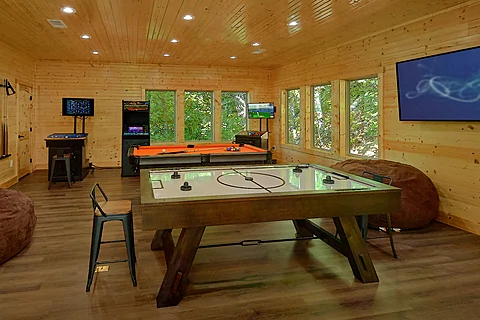
If you're not ready to sleep yet, then head to the upper level, where you can indulge in friendly competition in the game room at the pool table, air hockey table, or arcade games. Instead of playing, you can catch the big game on a 65" TV.
When the stars appear in the night sky, gather around the fire pit and trade stories for the perfect end to your evening.
In addition to the luxury features, you'll have access to practical ones like a washer/dryer, Wi-Fi Internet, and more, ensuring everyone has a relaxing time throughout their stay.
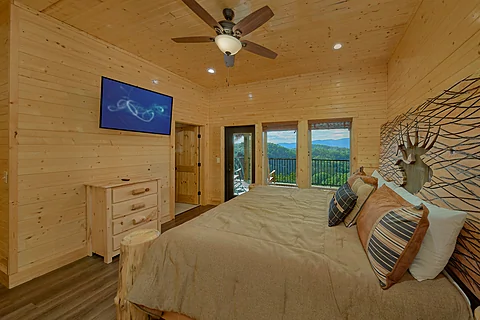
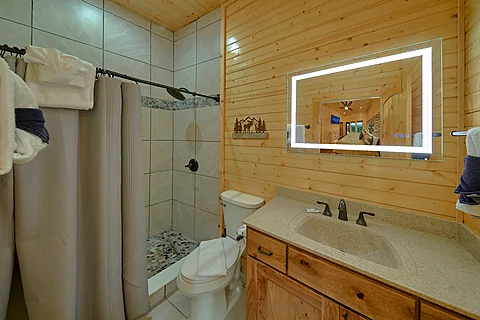
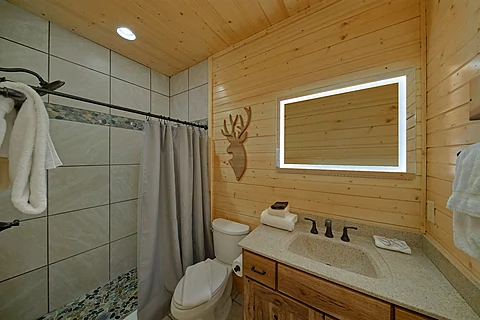
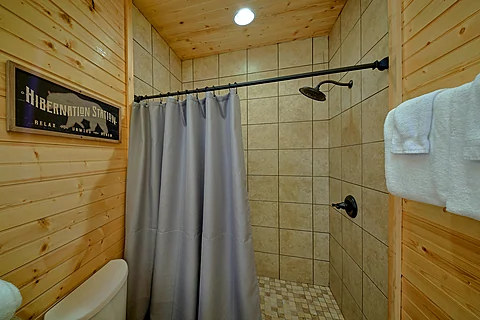
Once you're ready to rest, you can look forward to sleeping in one of the three bedrooms. The first bedroom is on the main level, offering a king-sized bed, cable TV, and a full connecting bathroom for a good night's rest.
The other two bedrooms are on the upper level. Both rooms provide a king-sized bed, cable TV, and a full connecting bathroom for a relaxing evening. Two sets of triple twin-sized bunk beds are available nearby for additional sleeping space.
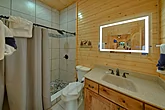
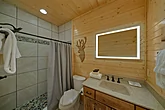
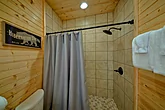
"A Smoky Mountain Dream" sleeps up to 12 guests, making it ideal for a family vacation. With three bathrooms and three half bathrooms, there's plenty of space for everyone to get ready for another exciting day in the Wears Valley area.
Enjoy the best of the Smokies with those who matter most by grabbing your spot at "A Smoky Mountain Dream!" Book your








Instructions:
Do you want to explore the cabins before you arrive? That's easy, thanks to our 3D Tour powered by MatterPort. Just press the Play button to get started. There are different viewing options available:
In first-person view, navigate through the cabin using the touch screen.
To look around, drag your finger left, right, up, or down. To move to another area, tap on the screen or the hollow white circles on the floor to move the direction you're facing.
To view in full-screen, click the far right icon to enter full-screen mode. Drag from the top of the screen and press the back button to exit full-screen mode.
To use measurement mode, after clicking the plus sign, press and hold to add your start point. Once done, press and hold to add your end point.
In first-person view, use the arrow keys on your keyboard to move around the cabin.
The left and right arrows let you look around while the up and down arrows let you move forward and backward. Also, you can click on the hollow white circles to move to a specific point.
To view in full-screen, click the icon on the far right to enter full-screen mode. Press escape to exit full-screen mode.
To use measurement mode, after clicking the plus sign, click anywhere you want to add to your start point. Once done, click on another spot to add your end point.
 - Office Location
 - Cabin Location
